¶ Add / Edit User
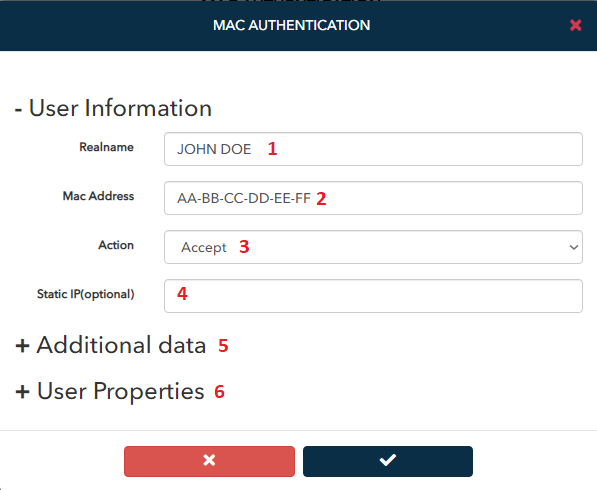
- Realname of the user
- MAC address for device
- Setting "Action" value to "Reject" is used to block the MAC address.
- A fixed IP address can be reserved to a MAC address.
- Additional information such as name, surname, national ID or phone number etc. of the user can be added.
- User-specific restrictions may be imposed or an existing template can be used.
¶ Import Users
This feature is used to add users in bulk.
- In order to upload in bulk, the draft file must be downloaded and the work must be done on this file.
- The Excel file containing the list should be selected.
- With these options, the restrictions of the users are determined. See details >>

¶ Export Users
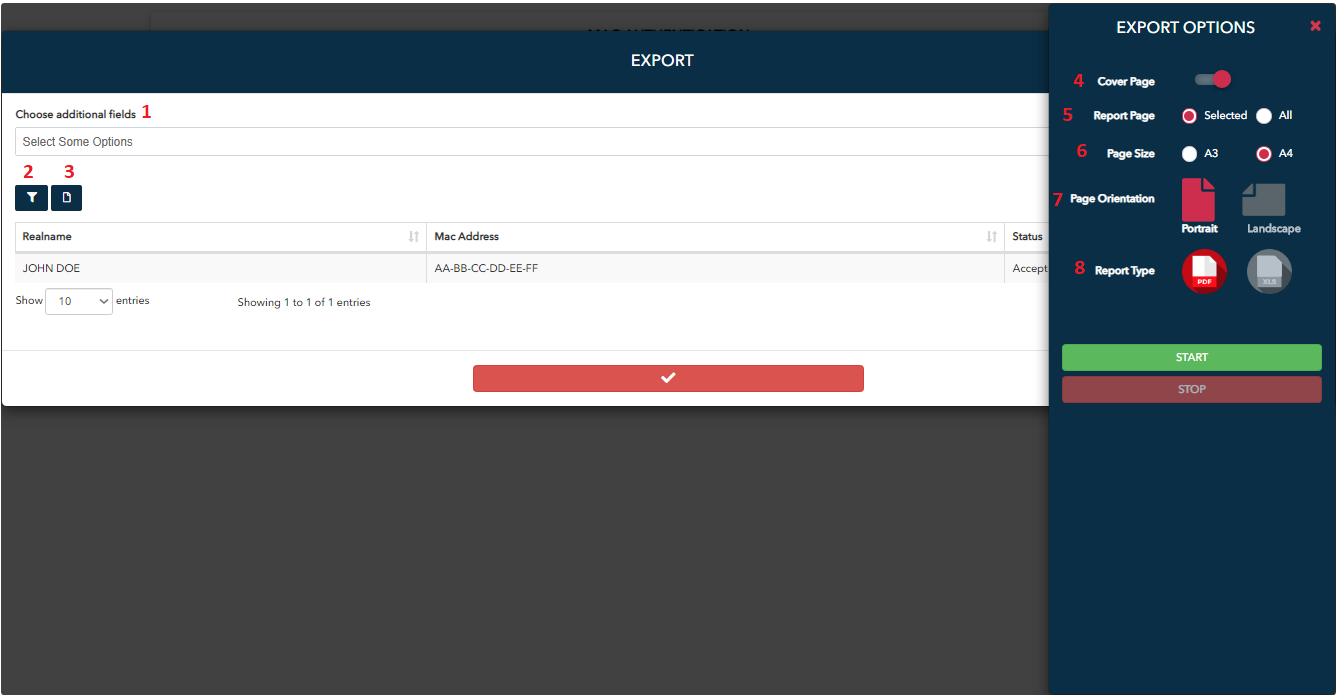
This feature allows export of selected users.
- Extra fields to be added to the table can be selected here.
- The default fields in the table that are intended to be hidden can be determined here.
- Export button
- Here should be selected to add a cover page to the report.
- Determines whether only the selected page in the table or all the pages should be in the report.
- Report page size
- Page orientation of the report
- Determines the PDF or Excel format of the report.
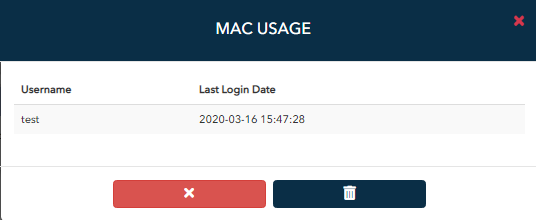
¶ Lists the Usernames Associated with MAC Address
¶ User Statistics
Shows users' daily, monthly and total session and data usage.
